The Voice Platform That Doesn't Send Your Audio to a Server
OmniVoice Studio is a free, open-source ElevenLabs alternative: 11 TTS engines, 646 languages, MCP integration for Claude, runs entirely on your machine.
ElevenLabs charges $5 to $330 a month, processes your audio on their servers, and applies an audible watermark on the free tier. That's the deal. If you don't like the deal, OmniVoice Studio is the other option.
It's a free, open-source voice platform that runs entirely on your machine. No API keys, no account, no usage limits, no audio leaving your hardware. It ships with 11 TTS engines, 646 languages, real-time voice cloning, video dubbing, an audiobook editor, a dictation widget, and an MCP server you can wire directly to Claude or Cursor. It's also in active beta, which matters — but I'll get to that.
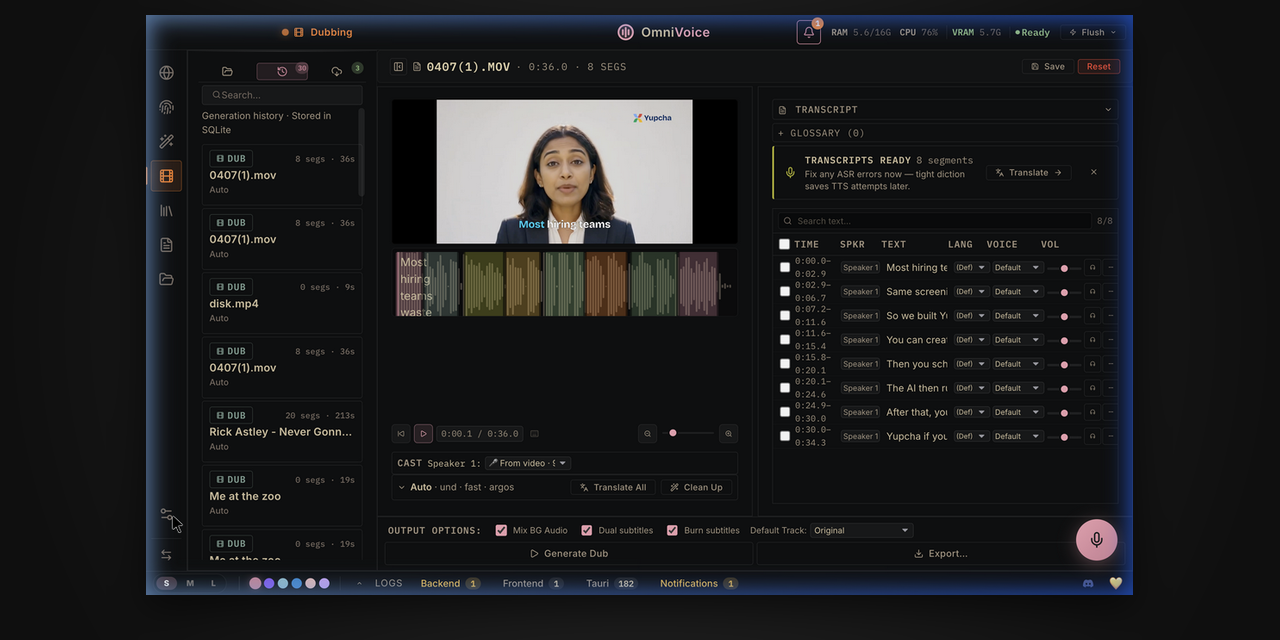
What It Actually Is
OmniVoice Studio is a desktop application (macOS, Windows, Linux) backed by a Python server running local AI models. The UI talks to the backend over localhost. When you clone a voice or generate speech, the inference runs on your GPU or CPU — nothing hits an external API unless you explicitly configure a remote backend.
The comparison table from the README makes the positioning clear:
| ElevenLabs | OmniVoice Studio | |
|---|---|---|
| Price | $5–$330/month | Free |
| TTS Engines | 1 | 11 |
| ASR Engines | 1 | 9 |
| Offline | ❌ | ✅ |
| MCP Server | ❌ | ✅ |
| Open source | ❌ | ✅ |
| Self-check / diagnostics | ❌ | ✅ |
The 11 TTS engines are: OmniVoice (default), CosyVoice 3, GPT-SoVITS, VoxCPM2, MOSS-TTS-Nano, KittenTTS, MLX-Audio, Sherpa-ONNX, IndexTTS 2, OmniVoice GGUF, and Supertonic 3. You switch between them in Settings → TTS Engine. They don't all support the same capabilities — some clone better, some handle specific languages better — but having 11 backends that auto-detect your GPU and let you benchmark quality yourself is a different posture than a single proprietary model you can't inspect.
The ASR (speech recognition) stack is equally broad: WhisperX, Faster-Whisper, MLX Whisper, PyTorch Whisper, Parakeet, Moonshine, FunASR, and two more for live dictation. These power the transcription step in dubbing and the real-time dictation widget.
The Features Worth Knowing
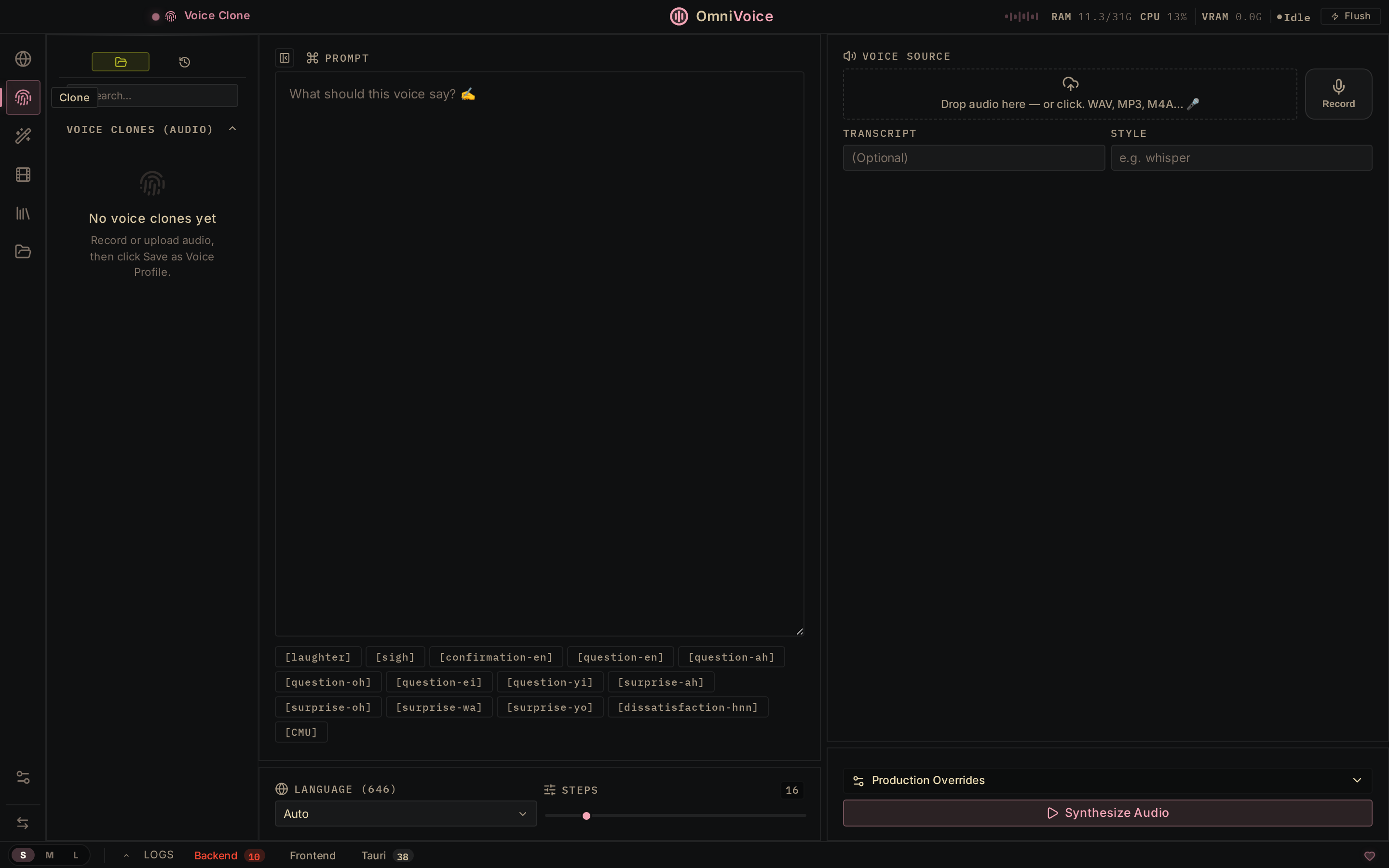
Voice Cloning. Drop a 3-second audio clip, and it mirrors the voice — 646 languages, zero-shot. The output quality depends on which TTS engine you're running, your hardware, and the quality of the reference clip. Short, clean recordings with minimal background noise work best.
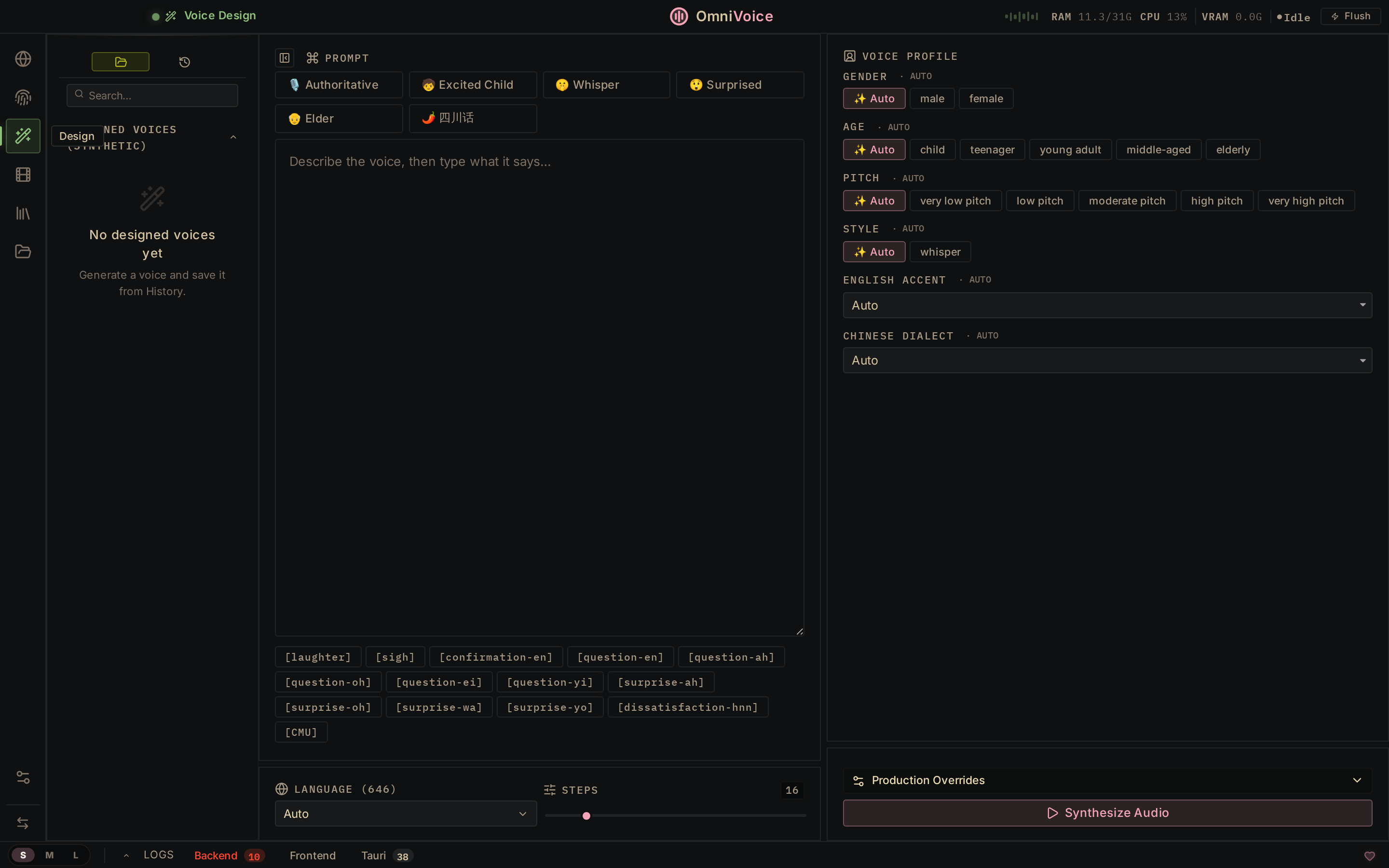
Voice Design. This is the feature that gets compared to ElevenLabs favorably. You can tune gender, age, accent, pitch, speed, emotion, and dialect from parameter controls rather than prompting with natural language. If you need a specific voice character for a project — not a clone, but a designed synthetic identity — this is the workflow.
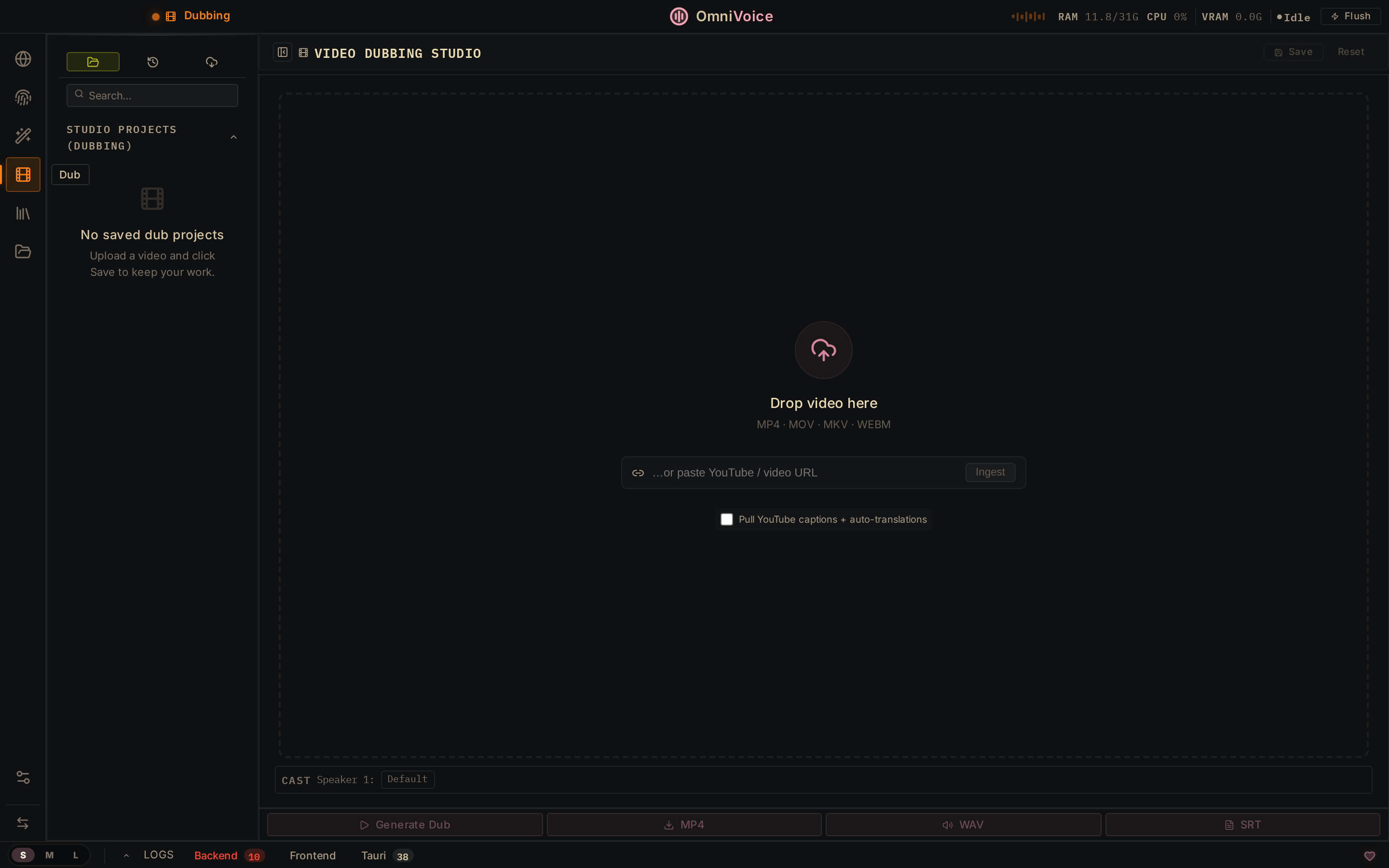
Video Dubbing. Paste a YouTube URL or upload a file. OmniVoice transcribes it (using one of the 9 ASR engines), translates the transcript, re-voices it using the cloned or designed voice, and exports an MP4. The pipeline is: audio → transcription → translation → TTS → mux back into video. Speaker diarization (via Pyannote + WhisperX) identifies who said what across multi-speaker content, which matters for dubbing interviews or panels.
Audiobook Editor. Import plain text, EPUB, or PDF. The editor auto-chapters, applies loudnorm, sets metadata, and exports .m4b — the format Apple Books and Audible use. For independent authors, educators, or anyone producing long-form narration, this is the toolchain that used to require a recording studio.
Dictation Widget. ⌘+Shift+Space from any app — OmniVoice transcribes what you say and auto-pastes the text wherever your cursor is. Disappears when done. Optional local LLM cleanup of the transcript. This is the feature you don't realize you want until you're mid-flow in a terminal or a text editor and don't want to context-switch.
MCP Server. This is the integration I'd reach for first if you're already using Claude Code or Cursor. OmniVoice ships an MCP server that exposes its capabilities as tools — generate speech, clone a voice, run transcription — callable directly from your agent session. For anyone building AI-integrated products that involve audio, this is the difference between a prototype that calls an external API and one that runs locally and stays private.
The MCP server is listed in the feature table but the setup docs are still being filled out. Worth watching as the project matures.
Getting It Running
Desktop installers ship for all three platforms:
- macOS: DMG (Apple Silicon) — first launch needs a Gatekeeper approval (right-click → Open, or System Settings → Privacy & Security → "Open Anyway")
- Windows: MSI (x64)
- Linux: AppImage (x64) or
.debfor Debian/Ubuntu - Docker:
palashdeb/omnivoice-studioon Docker Hub
After install, Settings → About → "Run self-check" tells you which engines loaded correctly, what GPU was detected, and what's missing. It's the kind of diagnostic tooling that makes a project usable rather than just theoretically functional.
Source setup if you want the latest, not a release binary:
git clone https://github.com/debpalash/OmniVoice-Studio.git
cd OmniVoice-Studio
uv run python backend/main.py
Hardware: GPU recommended (CUDA for NVIDIA, MPS for Apple Silicon, ROCm for AMD). CPU fallback works but is slower. The engine router does a preflight GPU check per engine and tells you upfront — no silent fallback that makes you wonder why generation is slow.
What to Know Before You Commit to It
It's in active beta. The README says it plainly: "Things may break between releases." The project is moving fast — that's both the reason the feature list is this long and the reason some docs sections are still sparse. For production workflows, pin a release version rather than running from main.
The license is AGPL-3.0. If you're embedding OmniVoice into a product you distribute, AGPL requires you to open source the derivative work (or negotiate a commercial license). For personal use, internal tools, and self-hosted team deployments, it's a non-issue.
The watermark is invisible, not absent. OmniVoice uses AudioSeal (Meta's AI watermarking library) — an imperceptible signal embedded in generated audio that survives compression and format conversion. This is different from ElevenLabs' audible free-tier watermark. The watermark here is about responsible AI provenance, not branding. Your output doesn't sound watermarked. But it carries a machine-readable signature that marks it as AI-generated.
Who Benefits Most
Content creators who pay monthly for ElevenLabs and only use a fraction of the character limit. Developers prototyping voice interfaces who don't want per-API-call billing while they're still figuring out what they're building. Teams handling sensitive audio — medical, legal, client interviews — where cloud processing is a compliance concern. Anyone building AI tools who wants the voice layer to be local, auditable, and extensible the same way the rest of their AI workflow is.
The MCP integration is the detail that makes it particularly interesting for design engineers. A voice tool that exposes itself as Claude tools is a voice tool that fits into the agentic workflows you're already building.
Get started: OmniVoice Studio on GitHub — installers, Docker image, and source setup. Discord for community support and the roadmap vote.